Memo / Notice, Video
Viewing the Sign Language Interpretation Feed
March 1, 2020
Participants who would like to view sign language interpretation can pin the video of the interpreter so that it stays on screen when the host or panelists are speaking.
To pin the interpreter’s video, hover over the video box until the three dots appear. Click the three dots and select “Pin Video” from the drop-down menu.
The video will stay highlighted in the main window. You can click the dots again and select “Unpin Video” to have the main window follow who is speaking.
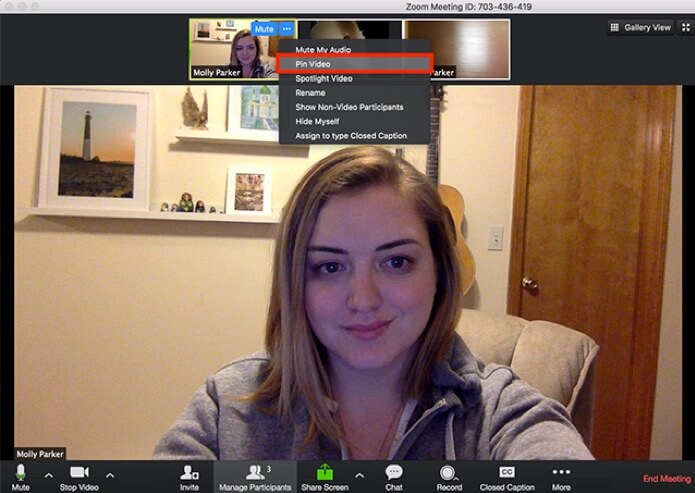
Image source: zoom.us
Asking Questions
If you want to ask a question, you can use the chat feature to ask the question.
Please note that we received almost 100 questions on average per webinar for the first series we did, so you may not get a chance to have your question answered.